Get Takin
In this guide

Help

Help

What it actually looks like.

Nine real screens, in the order you meet them. Every figure is the app's own sample data, a believable month of London driving, so nothing here is anyone's real finances. The shots are in the Night theme; the app has a Day theme too, built as its equal.

01 / 09

See every transaction

Import a bank statement and review the whole month.

Your money is grouped by Universal Credit month, not by calendar month, because that is the period you report on. A finished month reads like this one: £3,475 in, £1,316 out, everything sorted. Takin also tells you when a month is missing days, which happens because your bank writes its statement on its own schedule, not on yours.

The Takin Money screen, grouped by Universal Credit month, showing £3,475 in and £1,316 out for June to July, all sorted

02 / 09

Sort it with a swipe

Swipe or tap each payment as Business or Personal.

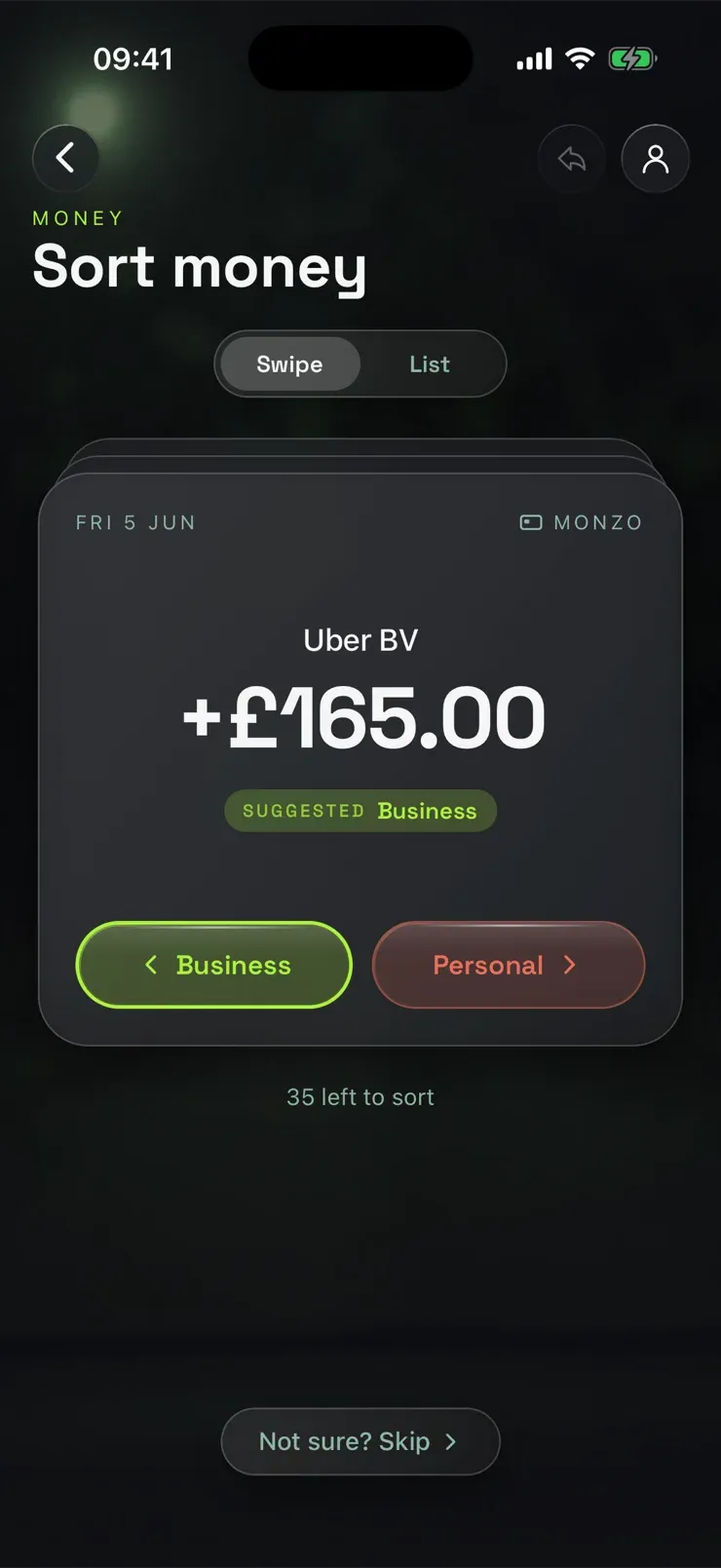
One payment at a time, with a suggestion already on the card. If a payment was part work and part not, tap the amount and enter only the work part. The rest becomes its own personal line, so both halves still add up to what you actually paid.

The Takin Sort money screen: an Uber BV payment of £165.00 with Suggested Business on the card, Business and Personal buttons, and 35 left to sort

03 / 09

Check the whole month

Business in, business out, and every payment with its type.

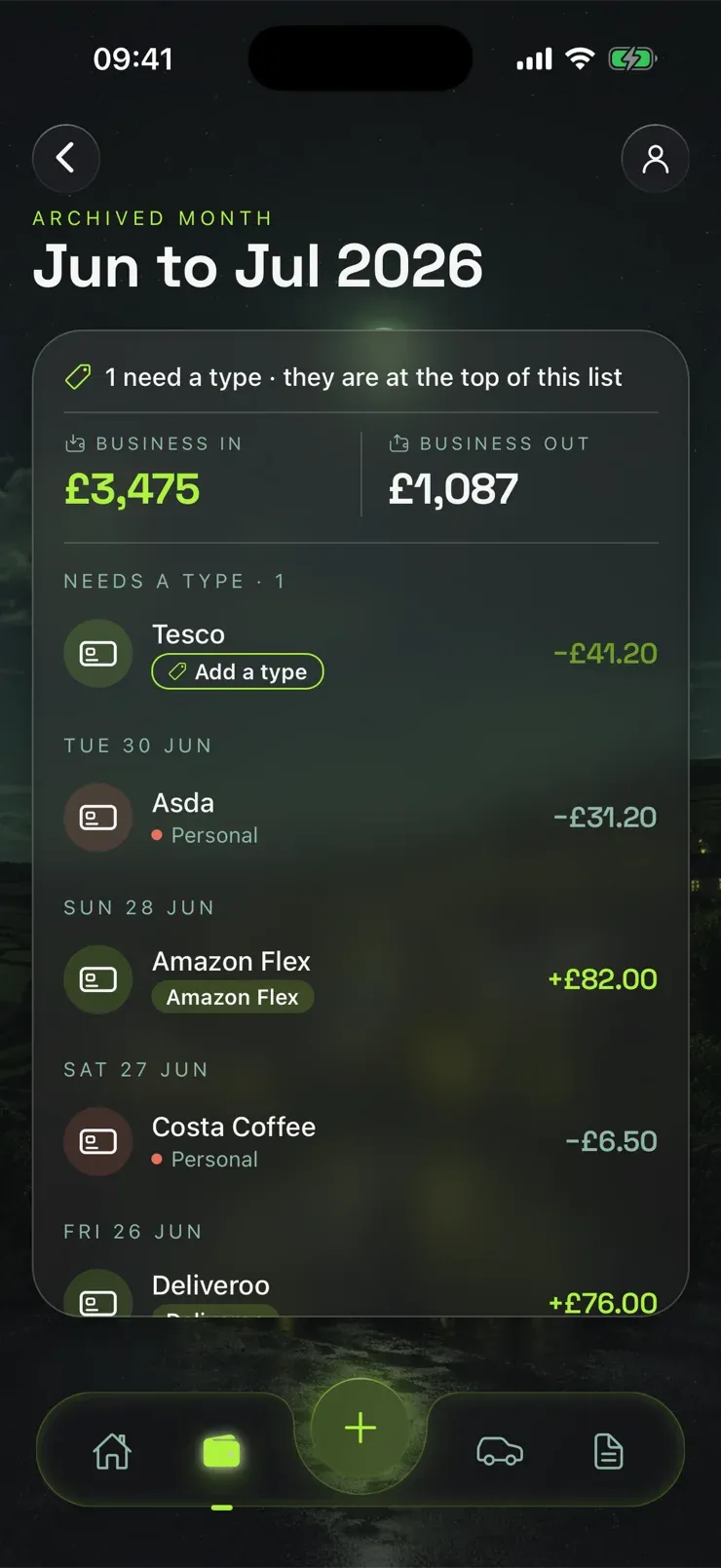
The month view shows what the sorting added up to: business money in, business money out, and each payment with its category and tag. Anything still needing a type sits at the top of the list, and Takin learns your regulars, so the same names arrive already sorted next month.

A Takin month of transactions: £3,475 business in and £1,087 business out, with categorised payments from Amazon Flex, Deliveroo, Asda and Costa Coffee, and one Tesco payment still needing a type

04 / 09

Count your miles

Track a shift with GPS, or log miles by hand.

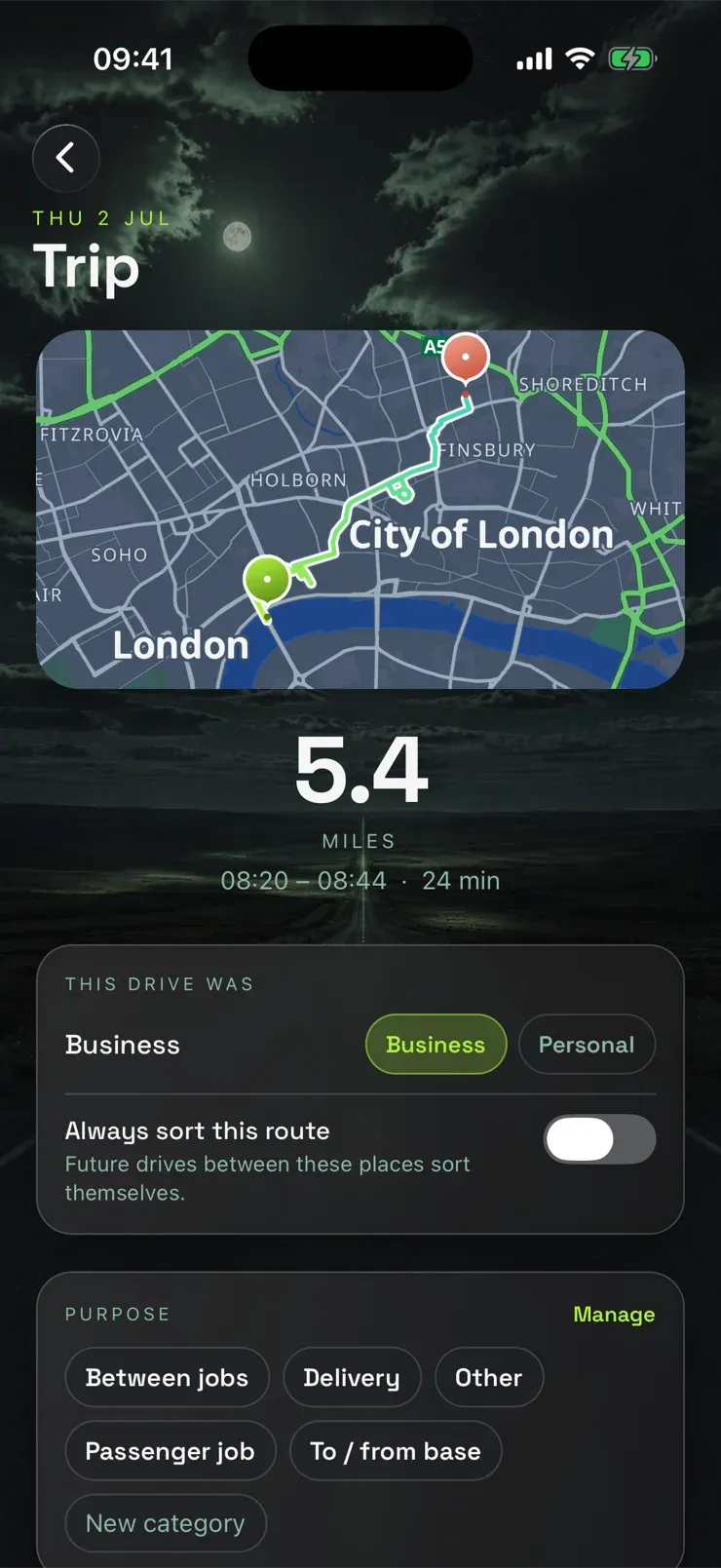
Each drive becomes a trip you mark Business or Personal, with a purpose such as between jobs, delivery, or a passenger job. Turn on Always sort this route and the same journey sorts itself in future. GPS distance can differ a little from the real route, so every trip stays editable.

A Takin trip: a 5.4 mile, 24 minute drive across central London on a map, marked Business, with a purpose picker underneath

05 / 09

Every trip, on the map

Your month of driving, sorted like your money.

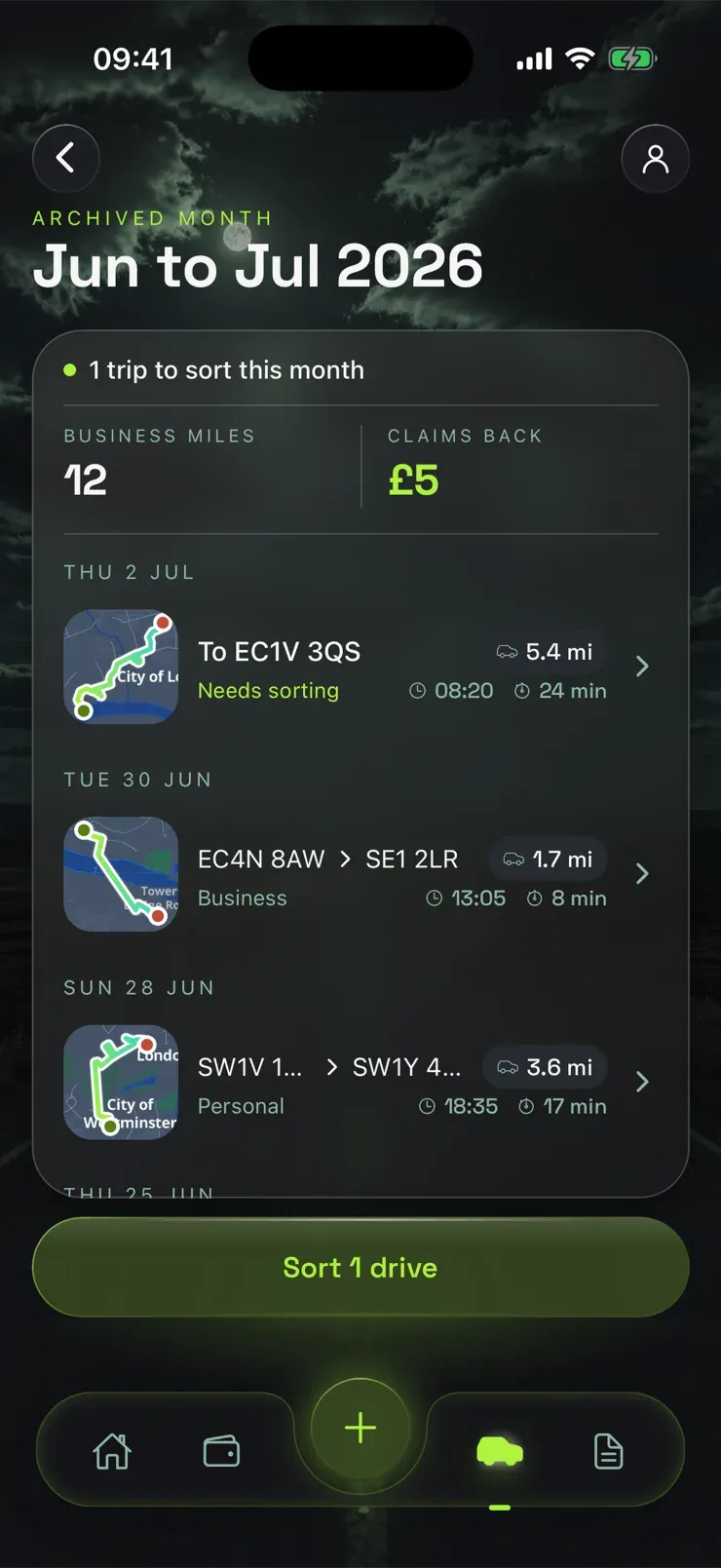
The month view lists each drive with its own little map, the postcodes it ran between, the distance and the time. Trips sort exactly like payments do: this month has one still needing a decision, one marked Business and one Personal, with 12 business miles worth £5 back so far.

The Takin trips list for a month: one trip to sort, 12 business miles and £5 claims back, each trip with a small route map, postcodes, distance and time, in Needs sorting, Business and Personal states

06 / 09

My UC report

Your month, added up into the figures the journal asks for.

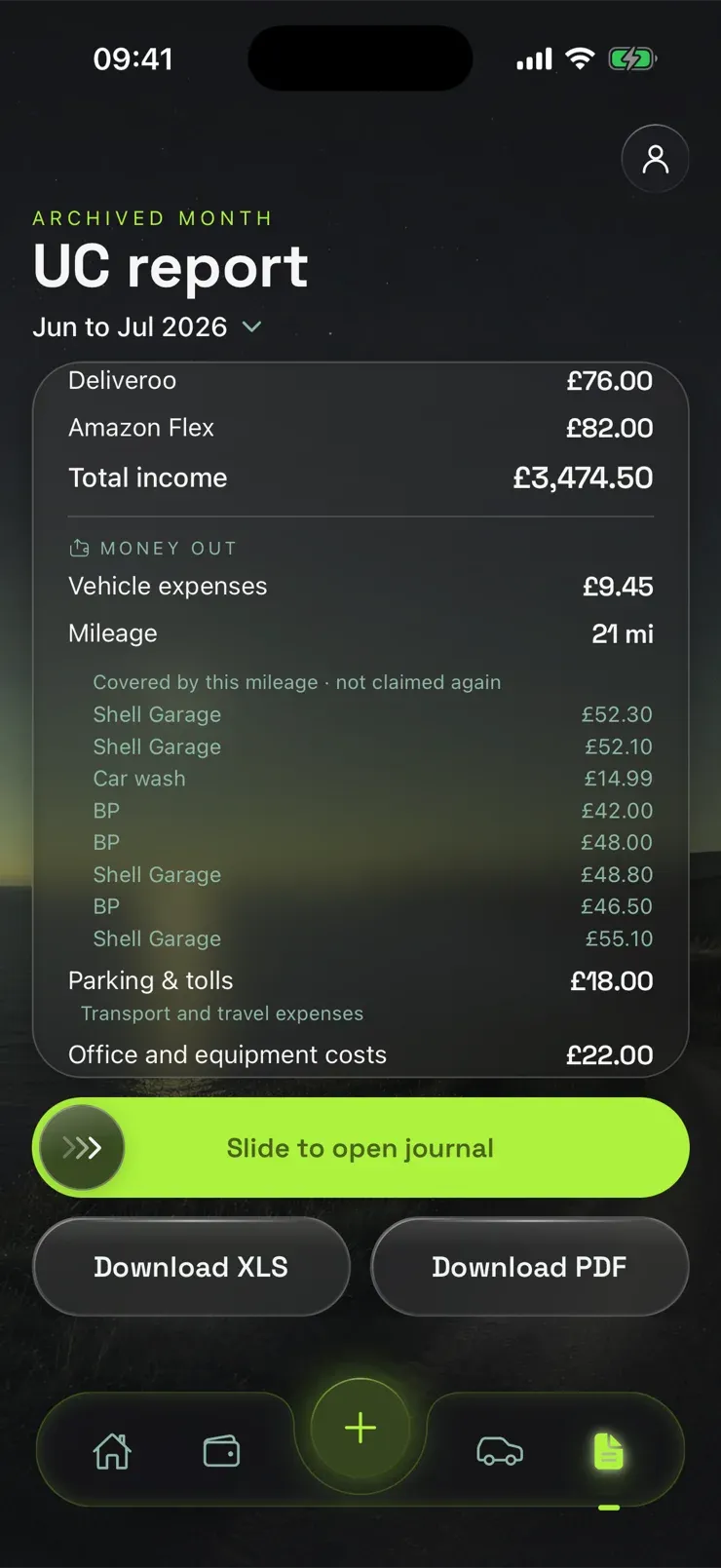
Income and expenses in the same categories the gov.uk journal uses. Where mileage covers a cost, Takin lists the fuel and garage payments it has already counted, so you can see they are not being claimed twice. You can download the month as a spreadsheet or a PDF.

The Takin UC report screen: Deliveroo and Amazon Flex income, £3,474.50 total income, a list of vehicle costs covered by mileage and not claimed again, and Download XLS and PDF buttons

07 / 09

Fill the journal

Open the gov.uk journal inside Takin and drop each figure in.

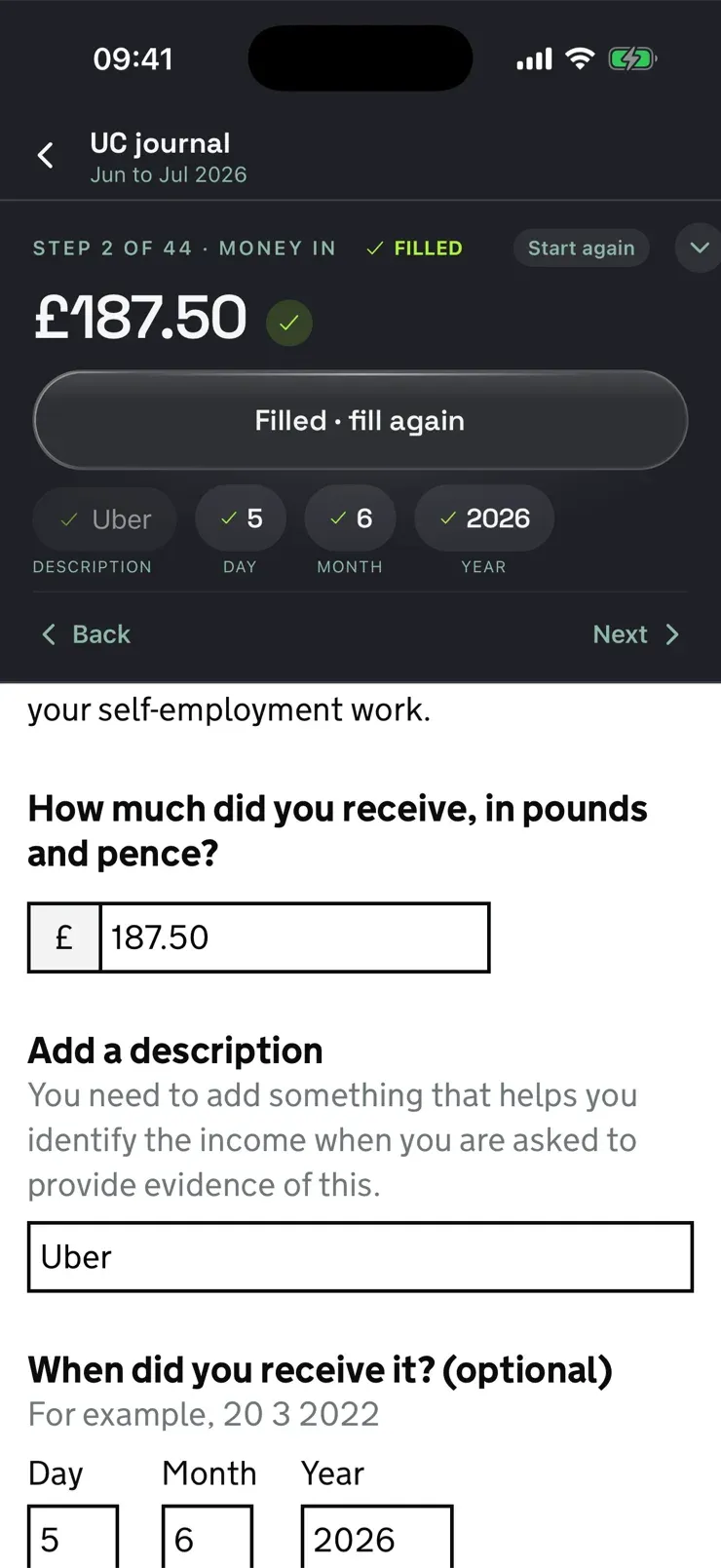
Takin opens the real gov.uk journal and walks you through it a field at a time: the amount, the description, the date boxes, each filled with a tap and marked FILLED as you go. Nothing is submitted for you. You are signed in to your own account and you press the buttons.

The gov.uk page belongs to the government. Takin is an independent tool by Borun Studios Ltd, not affiliated with, endorsed by, or connected to the Department for Work and Pensions, HMRC, or gov.uk.

Takin's figures panel above the Universal Credit journal on gov.uk, with the amount, description and date already filled in

08 / 09

Know where you stand

Take home for the month, and your activity by day.

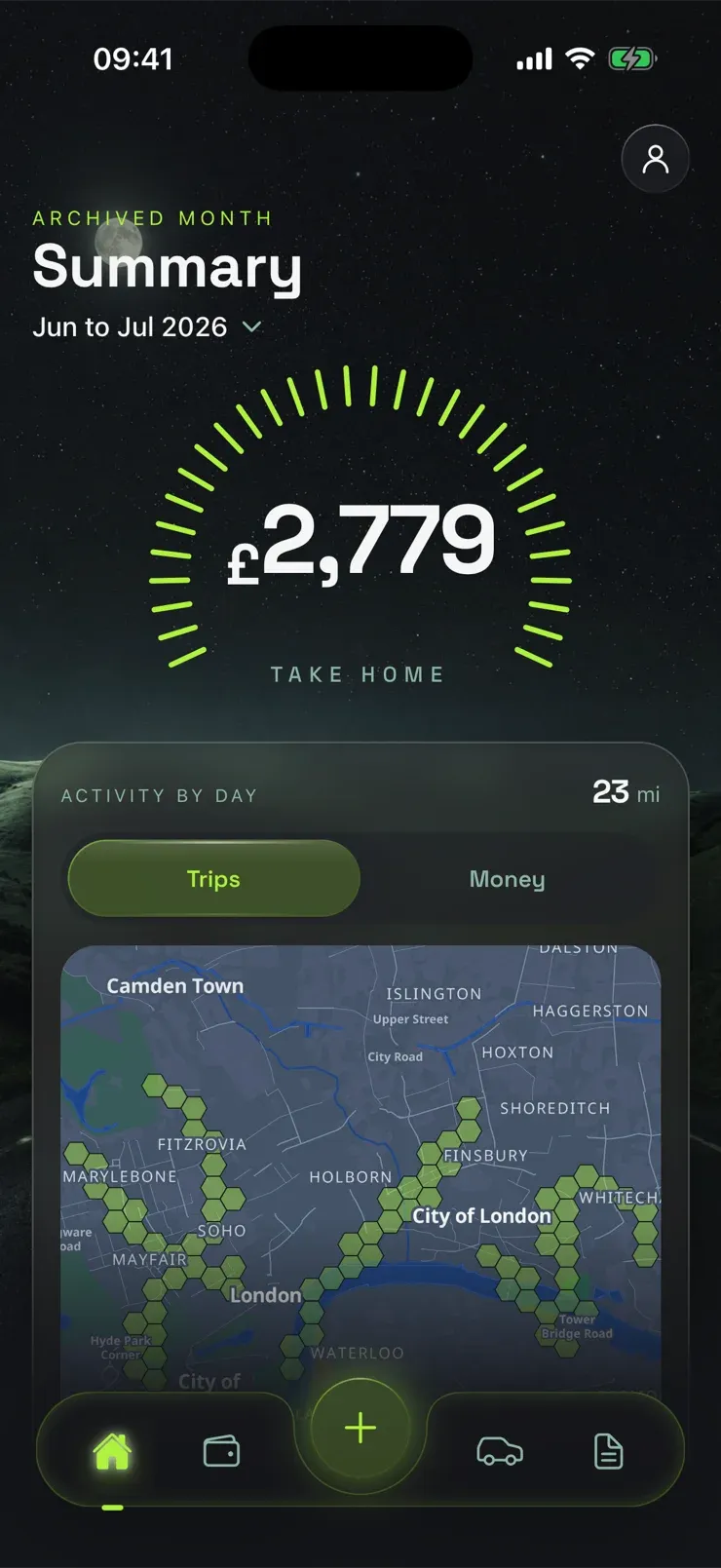
The Summary screen adds the month up as you go: take home so far in the day ring, and your trips and money laid over the map, day by day. This is also where the Minimum Income Floor lives, so a quiet month says so while there is still time to do something about it.

The Takin Summary screen for a Universal Credit month: £2,779 take home in a day ring, and a map of London showing activity by day

09 / 09

Your miles, month by month

Driving grouped the same way as your money.

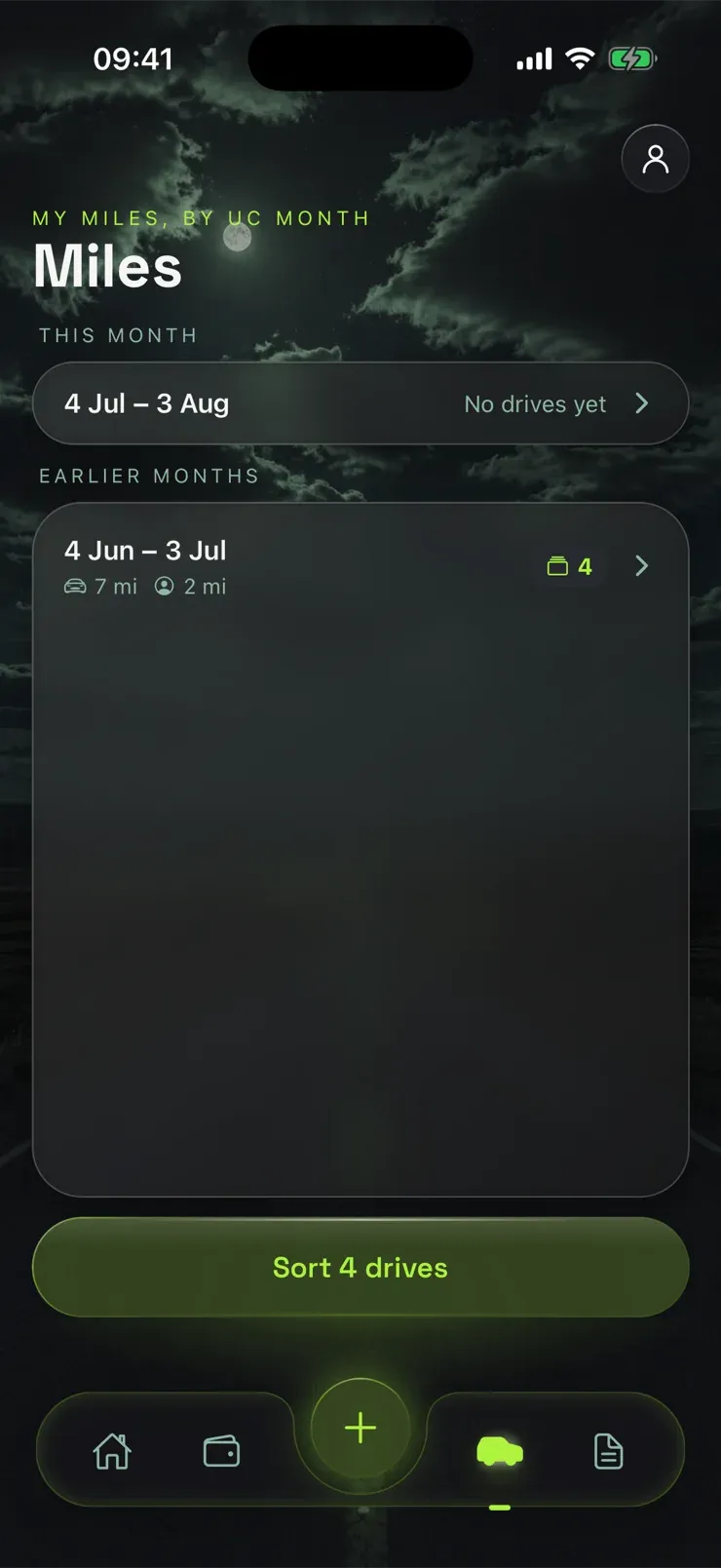
Miles live in the same Universal Credit months as everything else, so the month you report is the month you see. Drives waiting to be sorted are counted and one tap takes you to them.

The Takin Miles screen, grouped by Universal Credit month, showing 7 miles by car and 2 on foot for June to July, with four drives to sort

One thing it never does

It does not press submit.

Takin prepares the figures and opens the real gov.uk journal for you. You are signed in to your own account, you check every number, and you enter it yourself. Nothing is ever sent to Universal Credit on your behalf.